Next-period estimate
Automatic cycle detection and a next-period estimate with a range and how sure it is, worked out on your device from your own logged cycles. Estimates can be wrong.
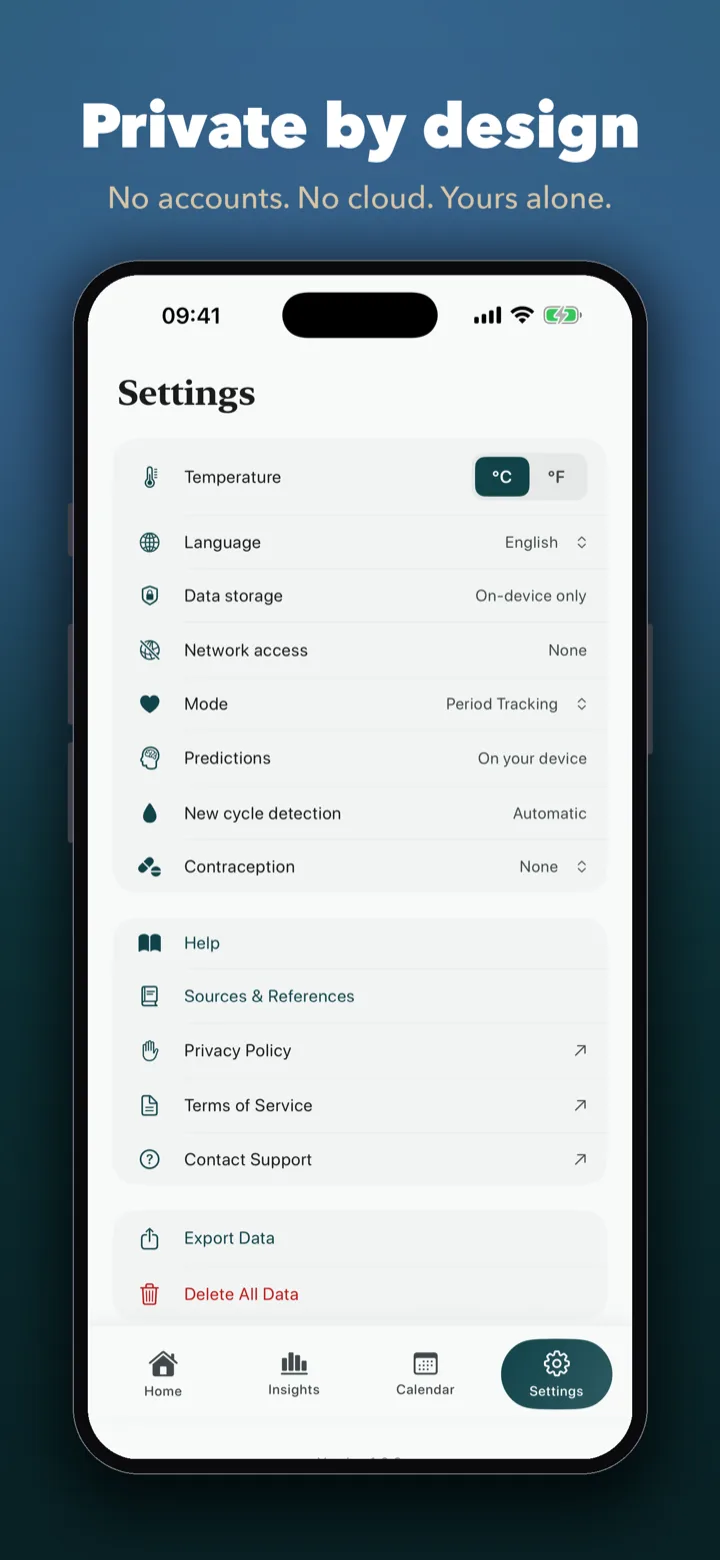
A personal cycle diary that keeps your logs on your phone. No account, no tracking, no Ondi server — with Apple Watch temperature and sleep, smart ring support and a diary for every stage, from first periods to pregnancy and menopause.
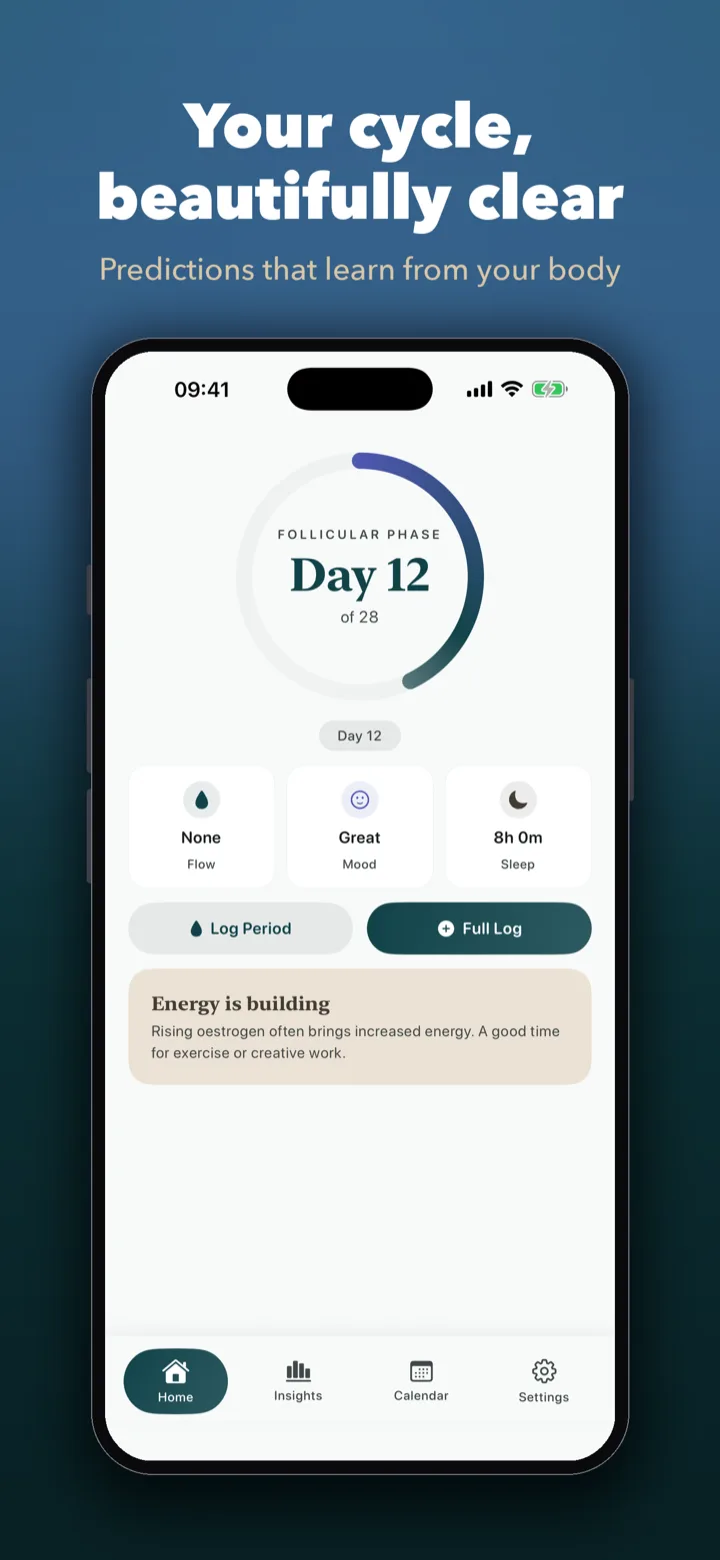
Log the day in a couple of taps, see your estimates and your own patterns, and keep a diary of every cycle. None of it needs an account, and nothing you log is sent to us.
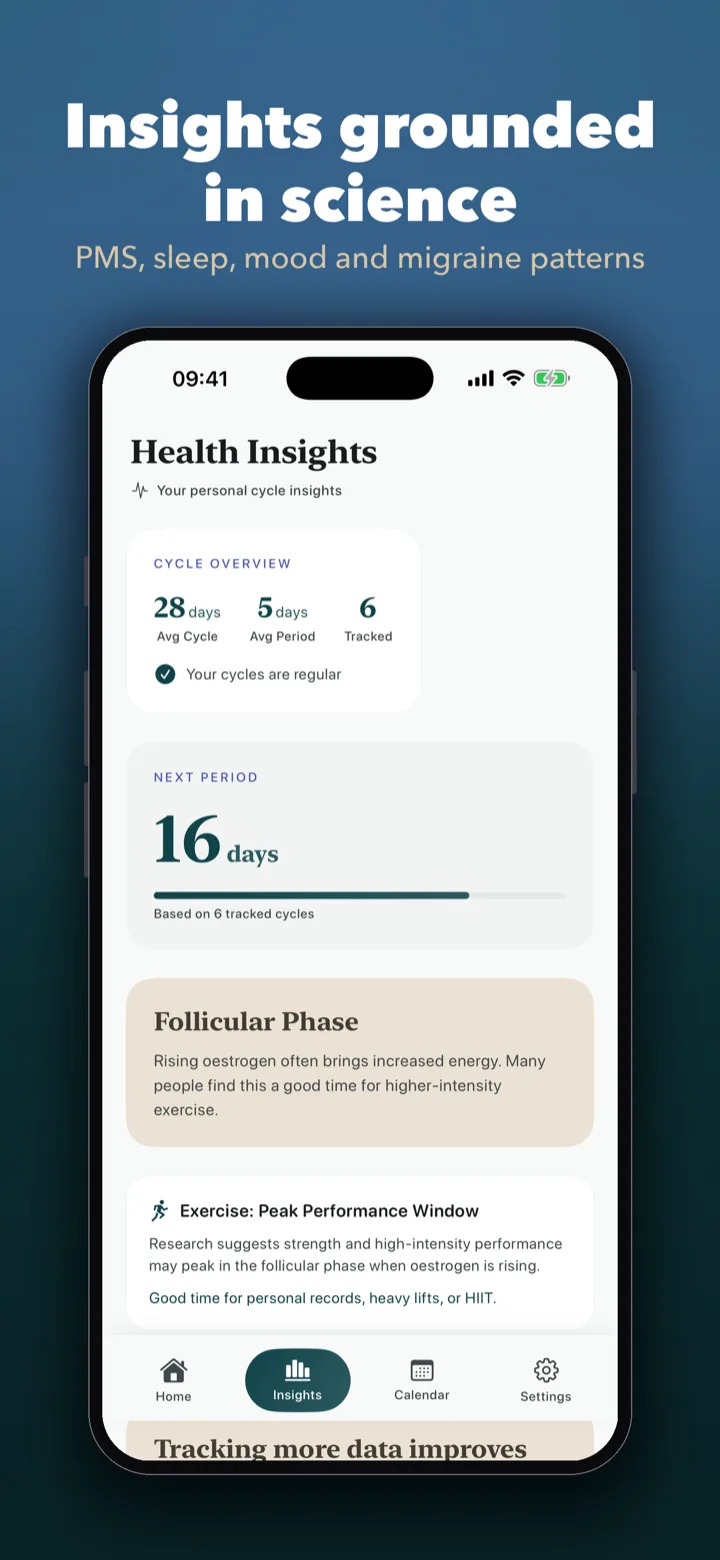
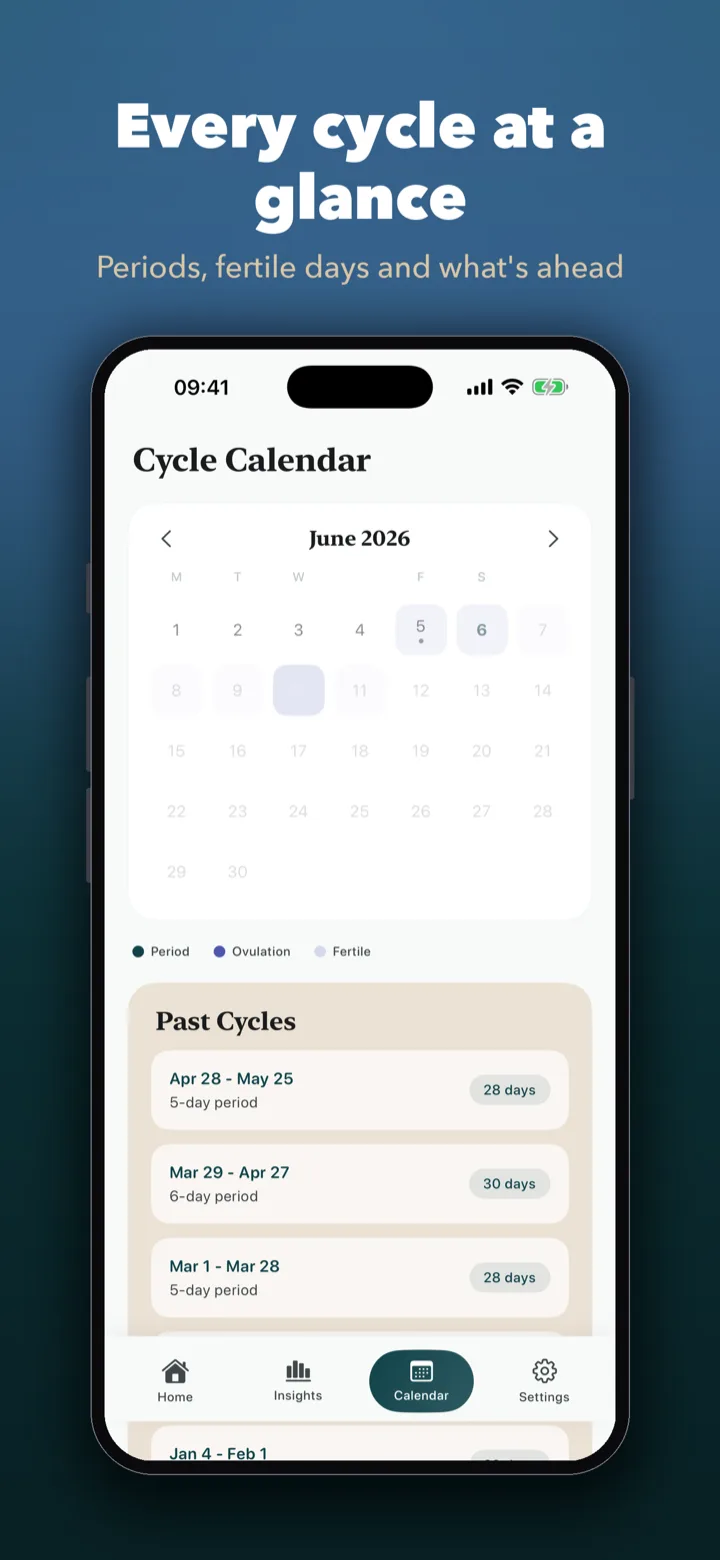
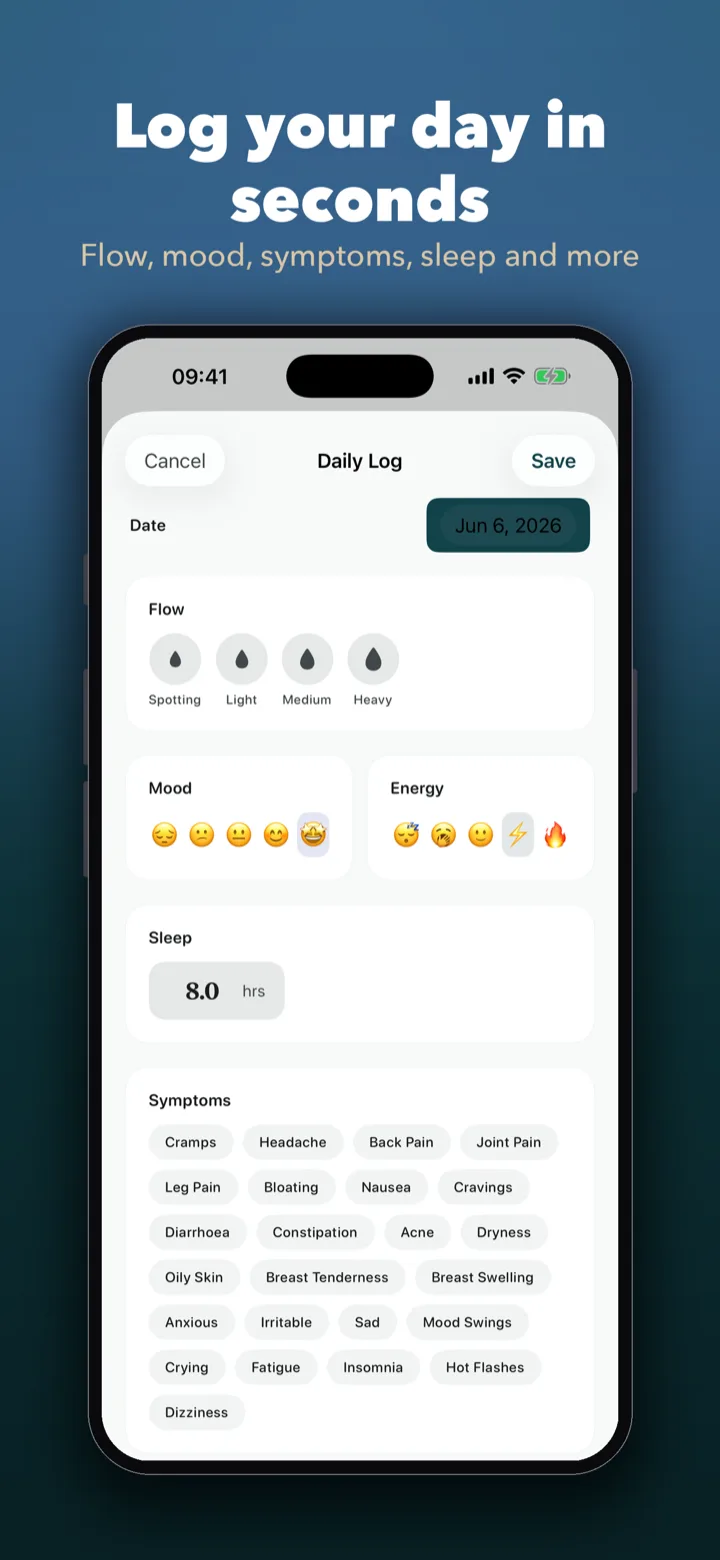
A personal cycle diary, from the first log to pregnancy and beyond, built so your most personal data stays yours.
Automatic cycle detection and a next-period estimate with a range and how sure it is, worked out on your device from your own logged cycles. Estimates can be wrong.
Flow, mood, energy, sleep and symptoms in a couple of taps, a calendar of every cycle, and a note when your logged cycles vary a lot.
With your permission, Ondi reads wrist temperature and sleep from Apple Health and shows them as trends next to your log. You can also log temperature, cervical mucus and ovulation tests as notes.
Pregnancy, postpartum and post-menopause diaries, in plain language. In pregnancy mode the due date is an estimate worked out from the date you enter; your midwife or doctor gives you your real dates.
Notes on what you logged, such as PMS patterns, headaches and sleep across your cycle, with a reminder to talk to a doctor. On supported devices, Ask Ondi answers questions about your own logs, on your iPhone.
No email, no sign-up, no Ondi server. Open the app and start. Everything is free for 7 days; after that logging, history and the calendar stay free and one purchase unlocks the rest.
Pair an affordable Colmi-family smart ring straight from Ondi — no separate ring app and no account. Your ring's heart rate, blood oxygen and sleep appear on a dedicated Device tab, and you decide whether ring sleep is saved to Apple Health.
Heart rate, blood oxygen, stress and HRV from the ring, with a day chart and a 7-day view. Measured and kept on your phone — no Ondi server, no login.
Sleep efficiency, the stage breakdown and a hypnogram you can scrub with your finger, plus your last 7 nights. If you wear an Apple Watch to bed, its sleep comes first.
The ring's skin temperature is a readout only. Wrist temperature trends come from Apple Watch — we keep the two apart on purpose.
Ondi talks to the ring over Bluetooth itself. Ring nights go to Apple Health only if you turn that switch on, and only when no Apple Watch sleep exists for that night. You can use the ring with PaceGrid on the same phone.
Tested: COLMI R09. Compatible (same family, not individually tested): COLMI R02, R03, R06, R10 and most rings that pair without their own app. Heart rate is confirmed across the family; sleep accuracy varies by model.
Give the ring a few minutes on its charger so it has power to connect.
If you used the official ring app, fully close it. You can keep Ondi and PaceGrid paired at the same time — just don't sync in two apps at the same moment.
Make sure Bluetooth is on and Ondi is allowed to use it.
In Settings, open the Smart Ring screen and tap Scan with the ring next to your phone.
Choose your ring from the list to connect. Ondi remembers it for next time.
Wear it overnight — sleep syncs automatically when you reopen the app.
Most trackers ask for an account before you can log a single day, then sync your most intimate data to the vendor's servers. Ondi doesn't.
Ondi is for people who want a private period tracker, a personal cycle diary, or a period app that does not begin with an account signup. It is especially relevant if privacy is not an abstract preference for you, but the main reason you are choosing a new health app.
You do not need to create an account just to log a cycle. That changes the feel of the app immediately.
Designed to keep sensitive cycle data on the device instead of sending it to a vendor's servers.
From first periods to pregnancy, postpartum and menopause, Ondi has a diary for each stage, and you switch modes as your life changes.
Export your full history to a file for a doctor's appointment, so your data stays portable rather than trapped.
Yes. There is no account, no Ondi server and no tracking analytics. Your logs are stored on your device, and device backups follow Apple's rules. The only network request is an App Store lookup for the names and icons of our other apps; it carries no health data.
Logging in every mode, your full history, the calendar, the next-period estimate and export of your own data. Everything is free for 7 days; then one purchase unlocks insights, Ask Ondi on supported devices, smart ring insights and the pregnancy, postpartum and post-menopause dashboards. No subscription.