One inventory for the kitchen, the medicine cabinet and the rest of the house, with reminders before things run out of date and recipes that use what you already have.
Scan, then confirm the date
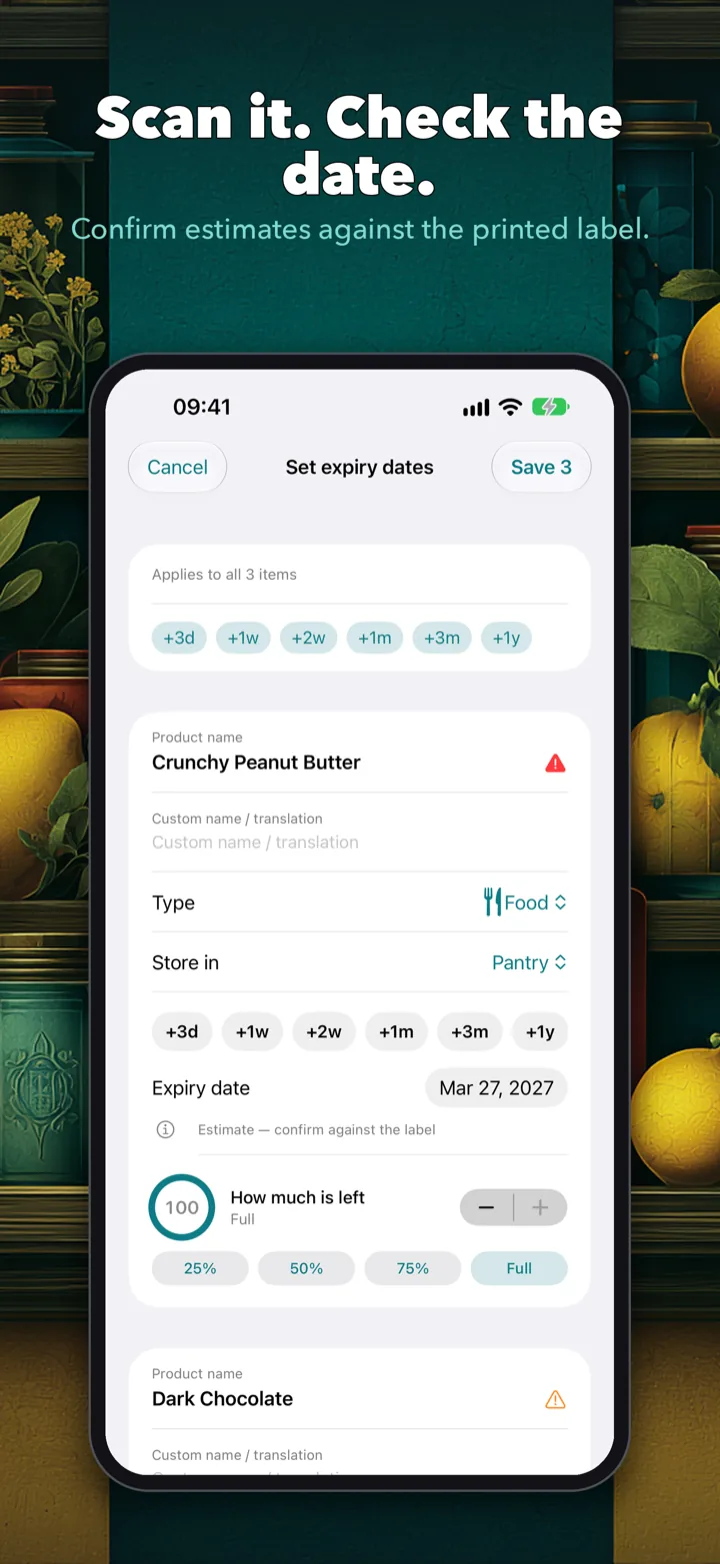
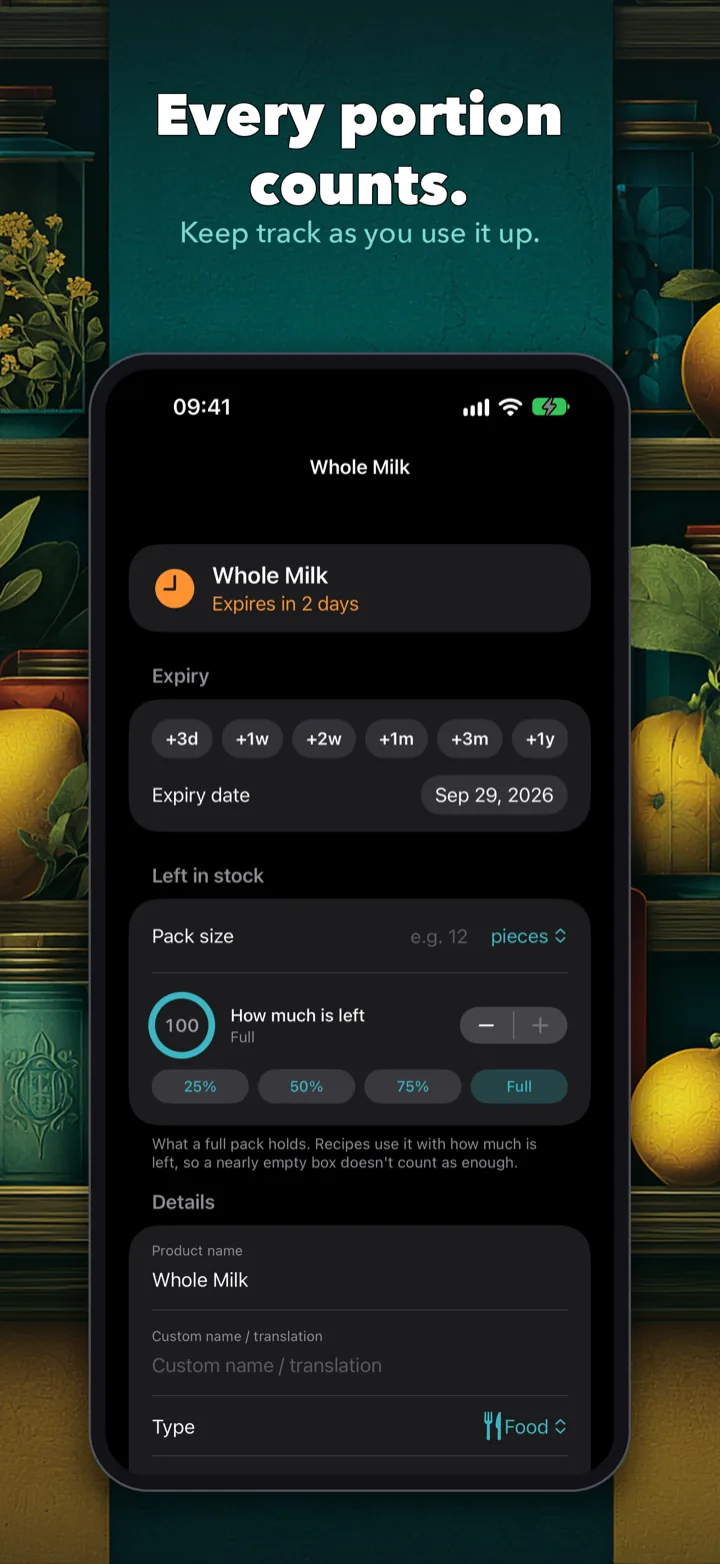
Scan a barcode to identify a product, then read the printed date with the camera or tap a quick-pick: 3 days, 1 week, 2 weeks, 1 month, 3 months or 1 year. Estimated dates are a starting point, and Custoda asks you to check them against the label.
A whole shop in one go
Scan item after item, then set every expiry date, rename products and mark how much is left on a single screen.
Allergen and diet warnings
Add household allergies with one tap from the common allergens, or type your own ingredients. Pick dietary choices such as vegan, gluten-free, halal or low sugar. Custoda flags matches as you scan, whenever product information is available. It checks "may contain" lines too, catches forms like almond flour when you avoid almonds, and reads labels in other languages.
Honest when it can't be sure
If ingredient data is missing or incomplete, Custoda shows "unverified". It never tells you a product is safe. Warnings for everything on your avoid list are always shown, even after the trial.
Use it before it's gone
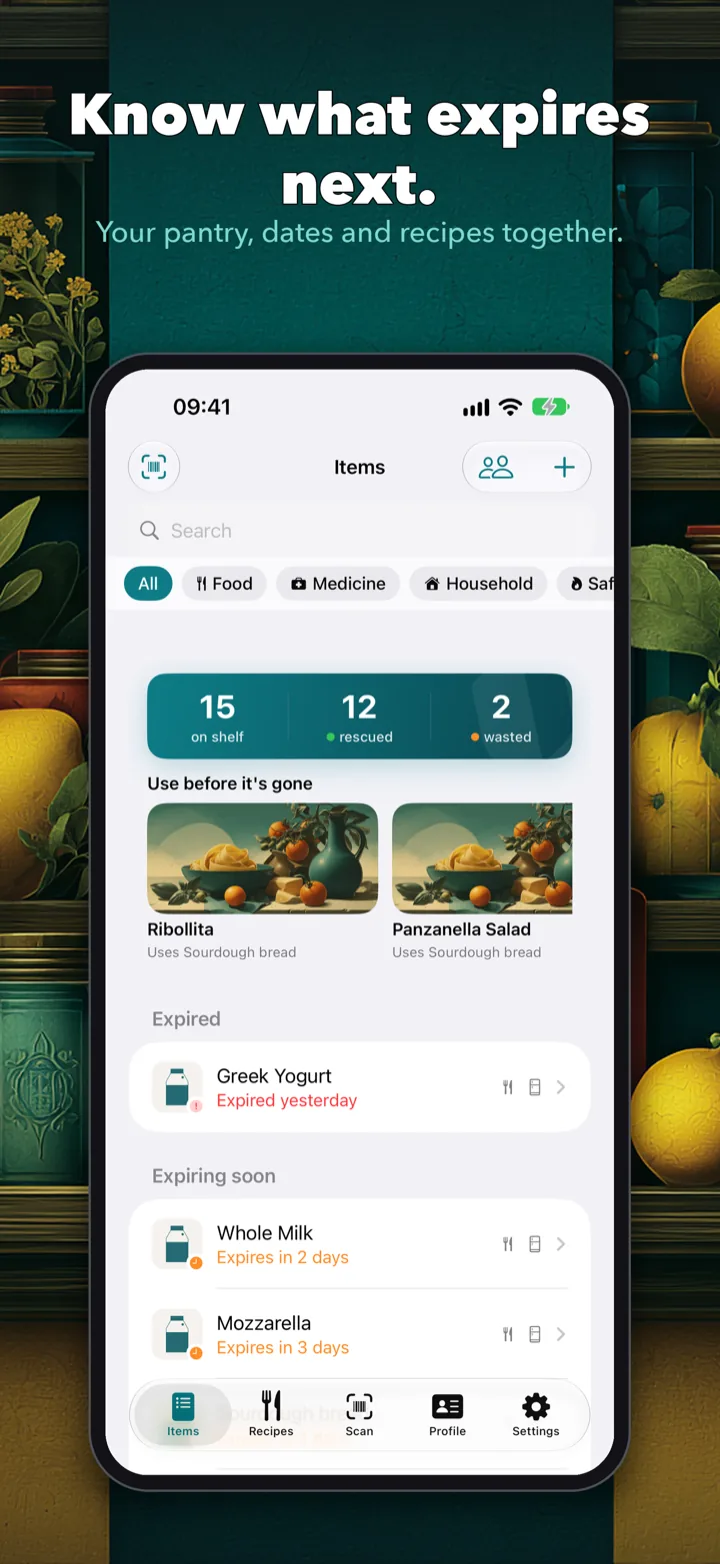
The home screen puts what's expired and what's expiring soon at the top, suggests recipes that use it, and keeps a running tally of food rescued and food wasted.
Cook from your shelf
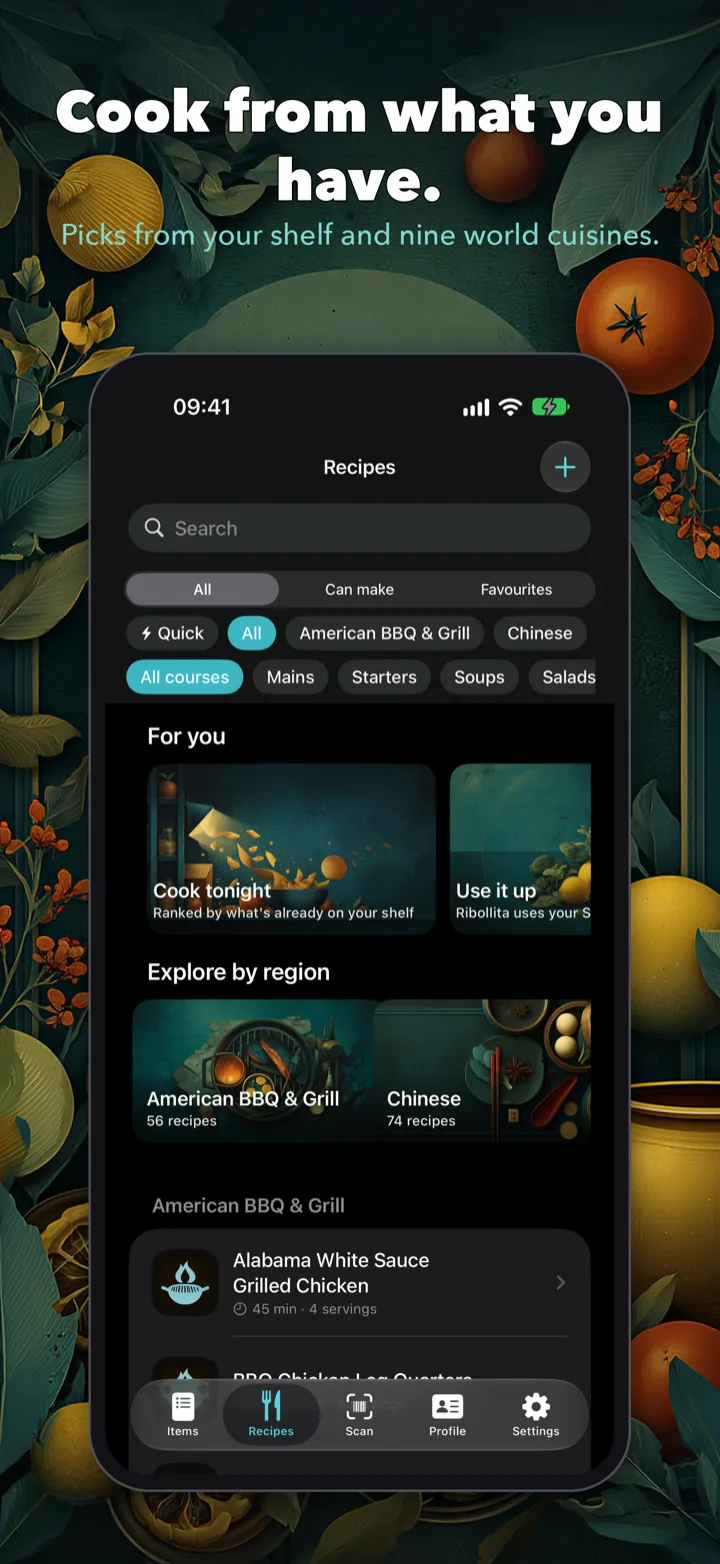
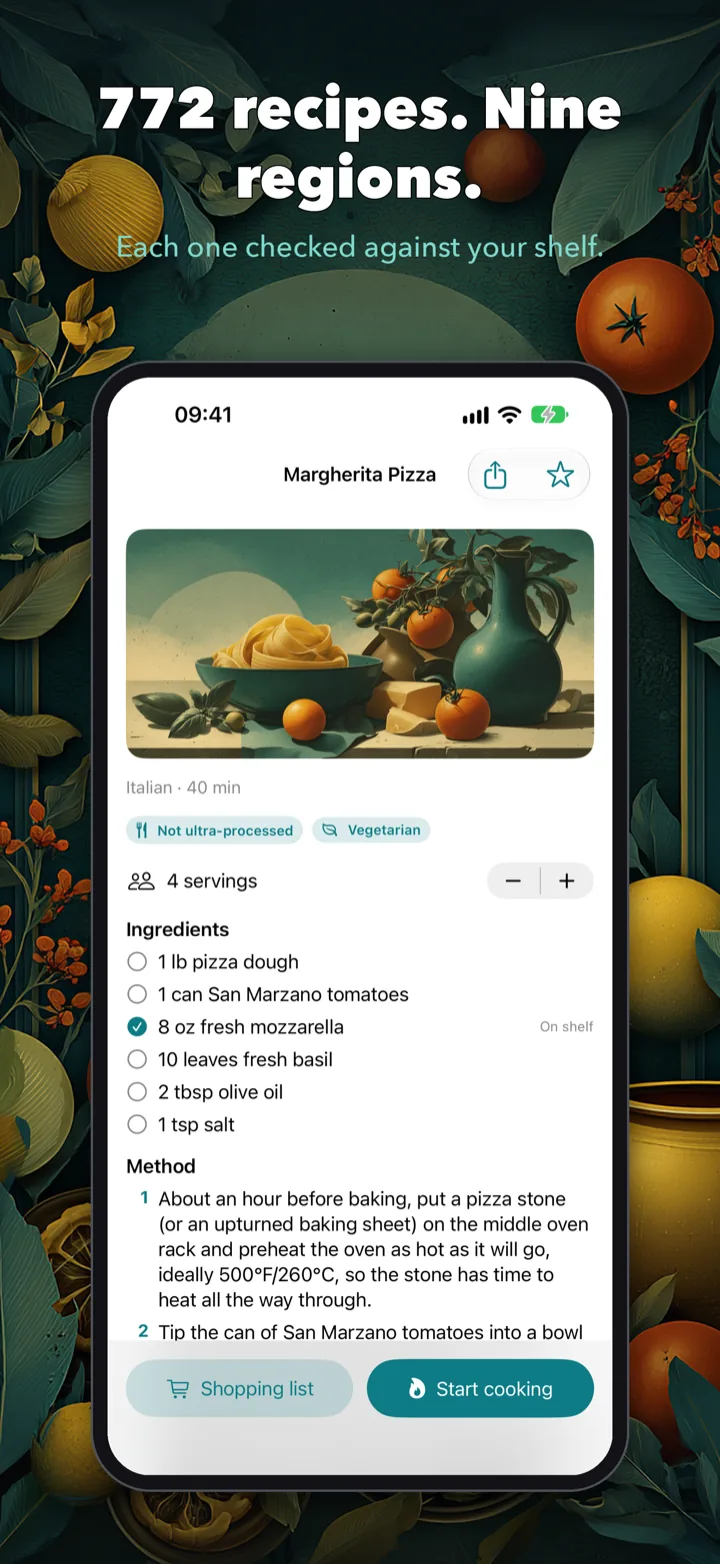
772 recipes across nine regional cuisines, from Italian and Japanese to Romanian and American BBQ & Grill. "For you" picks are ranked by what's already on your shelf, "Explore by region" browses each cuisine, and every recipe opens on an illustrated banner. Diet tags are checked against the ingredients. Save favourites and add your own recipes.
How much is left
Set a pack size and how much is left: 25, 50 or 75 per cent, full, or fine-tuned. Recipes use it, so a nearly empty box doesn't count as enough. One swipe marks an item used or wasted, or puts it back on the shopping list.
Medicine, household and safety
Track medicines, toiletries and household supplies alongside food. Save replace-by dates for smoke alarms, carbon-monoxide detectors, fire extinguishers and first-aid kits.
Reminders that wait for you
Get a reminder before something expires. Mark it used from the notification, or snooze it for two days.
Share with your household
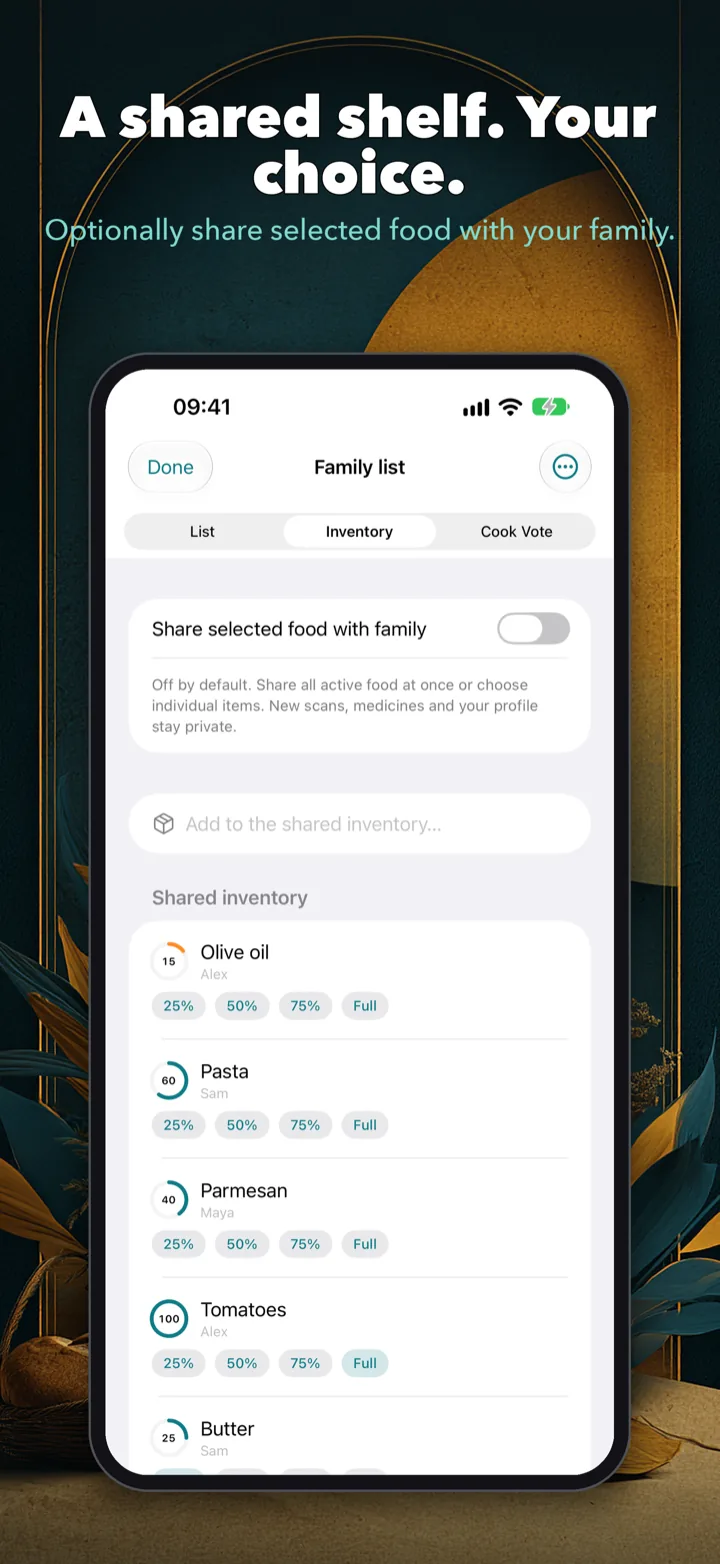
Invite family members with a private iCloud invitation and keep one shopping list together. You can also share selected food from your inventory, which is off until you turn it on.
Settle dinner with a vote
Suggest a few recipes, see how many ingredients each person already has, and let the household vote. Custoda shows the leading choice.
Your names, your language
Rename "Semi Skimmed Milk 2L" to "Milk": recipes go by the name you give an item, and treat minced and ground as the same thing. Light and dark themes follow your device, and the app speaks six languages.